Calling another country used to mean roaming fees, calling cards, or juggling a second app that the person on the other end also had to install. None of that is necessary anymore. If you have a browser and a few minutes, you can dial a real phone number almost anywhere in the world and know exactly what it costs before you connect.
This guide walks through the whole thing — from the number format to the price — so your first international call just works.
Why call from your browser?
Browser-based calling skips the parts of international calling that make it expensive and annoying:
- No app to install — it runs in the tab you already have open.
- No SIM or roaming plan — you're not tied to a carrier or a country.
- No subscription — you add prepaid credit and pay only for the minutes you actually use.
- The price up front — you see the per-minute rate for your destination before the call connects, not on a surprise bill later.
Because it works in any modern browser, the same setup works on your laptop, your phone, or a borrowed computer.
What you need to get started
Three things, and you probably already have two of them:
- A browser and a working microphone.
- The number you want to reach, in international format (more on that below).
- A little prepaid credit — you can create an account and top up your wallet in a minute.
That's it. No contracts, no hardware.
Place a call in four steps
- Open the dialer.
- Enter the number in international (E.164) format — the plus sign, the country code, then the local number.
- Choose how you want to call: a direct call, a call with live translation, or hand it to an AI voice agent.
- Press call. You'll see the per-minute rate first, then the line rings.
Tip: the rate you see already includes everything — there are no separate connection fees layered on afterward.

Getting the number format right
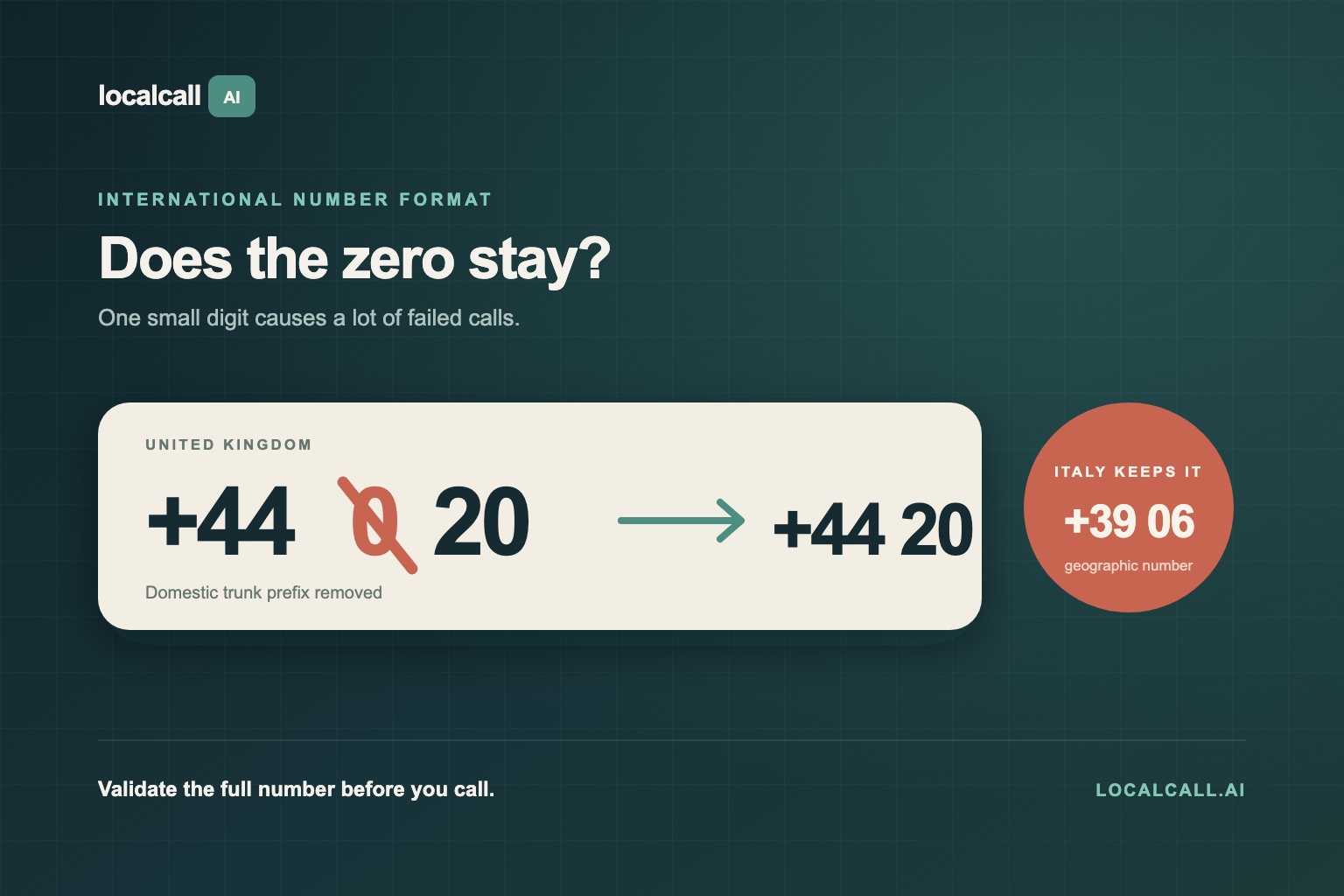
Most failed international calls come down to the number format. The safe, universal format is E.164: a +, the country code, then the national number with any leading zero removed.
- Spain mobile:
+34 6xx xxx xxx - UK landline:
+44 20 xxxx xxxx(drop the leading 0 from020) - US/Canada:
+1 xxx xxx xxxx
If you're not sure of a country's code or how a local number maps to international format, the how-to-call guides and the country-code lookup spell it out per country.
What it costs
Pricing is simple on purpose:
- You pay per minute, at a rate that depends on the destination and whether it's a landline or mobile.
- The first minute is billed as a full minute; after that you're billed in six-second increments, so a 1:05 call isn't rounded up to two minutes.
- Credits are valid for 12 months from purchase, and top-up packs start at $9.99.
You can look up the exact price for any destination on the rates page before you ever dial.
Landline vs mobile
Mobile numbers usually cost more to reach than landlines because mobile carriers charge more to terminate a call. Where the number format makes the line type detectable, the cheapest available route is chosen automatically — so you're not overpaying to reach a mobile in, say, Spain or Germany.
When to use translation or an AI voice agent
Two features turn a plain phone call into something more useful:
- Live translation lets you speak your own language while the other person hears theirs, in real time and in both directions. It's ideal for family abroad, a hotel that doesn't speak English, or a supplier in another country.
- AI voice agents can place a routine call for you — booking a table, confirming an appointment, chasing a delivery — and report back what happened.
Both are built in, so you choose them right in the dialer rather than wiring up anything extra.
Ready to make the call?
Pick your destination, check the rate, and dial — the whole thing takes less than a minute. When you're ready, open the dialer or browse rates by country to see what your next call abroad will cost.